Site Inspector App
App · Real Estate & Construction
Site Inspector App is a construction safety and field compliance inspection application that records site audit findings, captures photo and video evidence, pins GPS site coordinates, and tracks corrective actions on Joget DX 9. Construction supervisors, safety officers, and quality control inspectors struggle to manage site inspections when relying on physical paper checklists and unorganized mobile photo galleries. Manual site inspection processes cause delayed hazard reporting, missing GPS location verification, lost photo evidence, and uncompleted corrective safety measures. Quality assurance teams lack real-time visibility into active site compliance trends and cannot capture inspection data in remote construction areas without cellular coverage. Key Features Displays live site mapping with GPS site pinning, address details, and inspector assignments using Google Maps API Key integration. Captures field findings on mobile devices complete with photo uploads, video attachments, detailed descriptions, severity ratings, and recommended corrective measures. Stores company directories, job site locations, inspector profiles, and customizable inspection categories within central datalists. Applies automated timestamps to every inspection entry to create tamper-proof audit trails for safety compliance. Enables offline field data entry that automatically synchronizes saved records to the central database once network connectivity is restored. Exports inspection history records, company directories, and compliance logs into CSV, Excel, XML, and PDF formats. Frequently Asked Questions Which external integrations and platform plugins does Site Inspector App require? Site Inspector App requires a Google Maps API Key to render live site maps and GPS coordinates, alongside the API Builder Plugin to handle background data sync operations. How does Site Inspector App handle field inspections in remote areas without internet access? Site Inspector App stores inspection entries locally on mobile devices when working offline, automatically synchronizing saved findings and media attachments to the central database when network connection is re-established. Which Joget platform versions support Site Inspector App? Site Inspector App runs on Joget DX 9 On-Premise and Cloud environments across Enterprise editions. Important Note: Please refer to the setup page in the app to prepare the app. The app requires the use of Google Maps API Key and the API Builder Plugin.
Construction Management App
App · Real Estate & Construction
Construction Management App is a site execution and project delivery application that manages construction budgets, material procurement, requests for information, punch lists, and daily site logs on Joget DX 8 and Joget DX 9. General contractors, real estate developers, and civil engineering teams manage field operations across separate spreadsheets, paper site logs, and unstructured messaging threads. Disconnected communication delays response times for design clarifications, leading to unverified site defects, uncoordinated material deliveries, and unaccounted budget overruns. Project managers lack centralized visibility into active site weather conditions, task progress percentages, and purchase order spending trends across active project sites. Key Features Displays executive dashboard metrics for active project statuses, priority task counts, punch list severities, and monthly purchase order spending volumes. Records daily site progress updates including weather conditions, ambient temperatures, task completion percentages, and operational blockers. Submits requests for information with design questions, urgency ratings, target due dates, and supporting document attachments. Captures punch list defect items with issue titles, detailed descriptions, photo uploads, priority classifications, and reporter details. Tracks material requests and purchase orders with itemized vendor details, material codes, quantities, unit prices, total costs, and delivery locations. Exports project task distributions, purchase order histories, and defect logs into CSV, Excel, XML, and PDF formats. Frequently Asked Questions How does Construction Management App track requests for information between field teams and design engineers? Construction Management App routes requests for information through a structured form interface where site supervisors log design questions, assign urgency levels, set target due dates, and attach reference document files. Which Joget platform versions support Construction Management App? Construction Management App runs on Joget DX 8 and Joget DX 9 Enterprise editions, On-Premise and Cloud environments. How does Construction Management App manage material procurement and vendor orders? Construction Management App records purchase orders with multi-line material tables containing item codes, descriptions, quantities, unit prices, total cost calculations, vendor names, and destination job sites.
Supplier Management Suite
App · Procurement
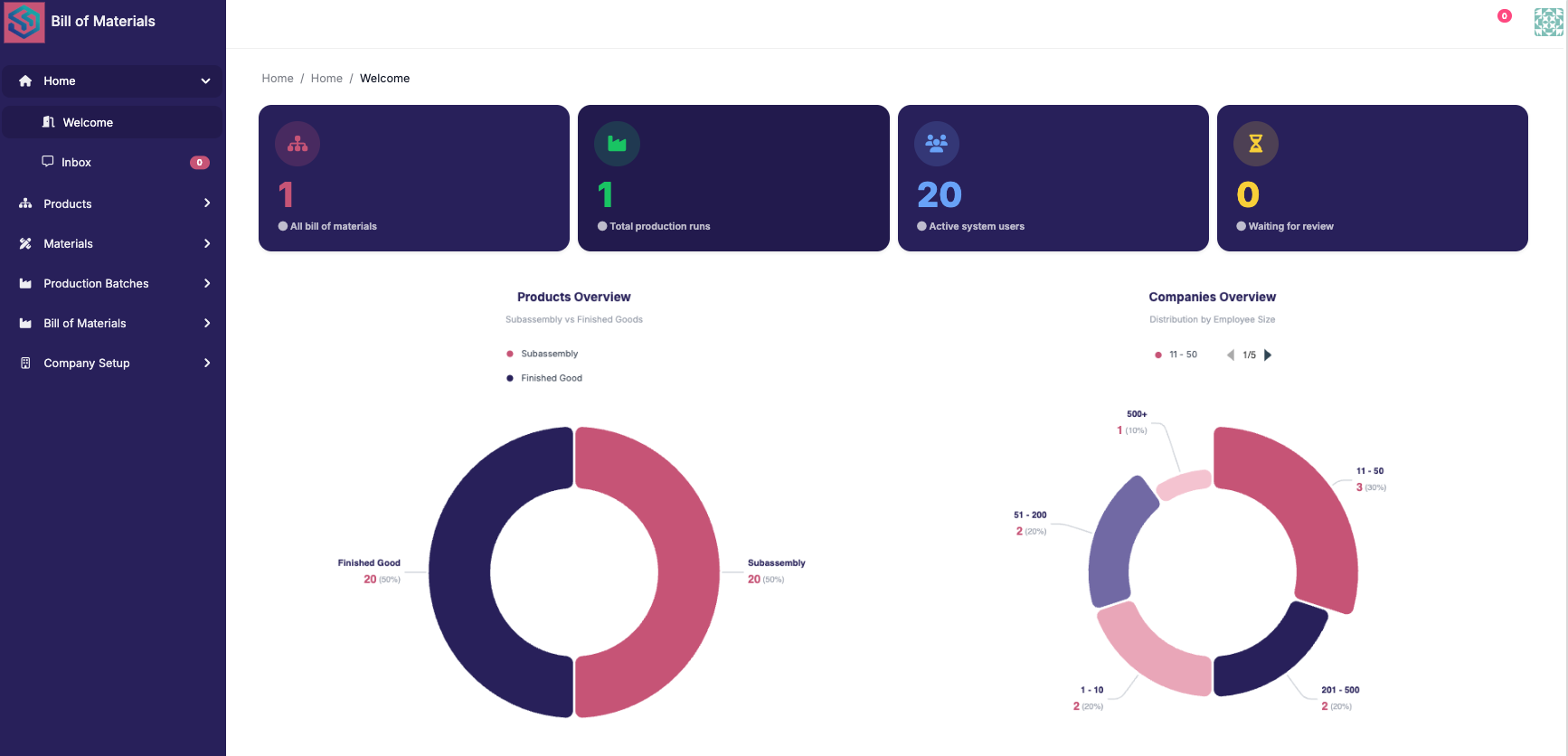
Supplier Management Suite is supplier onboarding software and a source-to-pay app for procurement teams, built on Joget DX 9, that manages supplier registration, document verification, bid evaluation, contract tracking, invoice processing, and conflict-of-interest checks. Today, procurement teams find vendor data spread across spreadsheets, emails, and the ERP. The Finance team spends time resolving price variances, partial deliveries, and invoices received before goods receipts. Procurement officers struggle to manage onboarding through scattered emails and manual entry. Key Features Supplier Management Suite registers a supplier on Register Supplier, verifies documents and screens the supplier side by side, then runs a risk assessment and final approval before the supplier is Active. Supplier Management Suite screens each supplier against the Watchlist (sample) table, which you replace with your own list. Supplier Management Suite runs tenders on Tenders and Bids, scores bids with Scoring Weights and drafts an AI bid comparison that never picks a winner. Supplier Management Suite checks every invoice by three-way match against its purchase order and received value, approves it within 2% and sends the rest to Finance on Exceptions with the difference shown. Supplier Management Suite opens a COI case for Compliance when a staff declaration matches the director of a bidding supplier. Frequently Asked Questions What is the supplier onboarding process in Supplier Management Suite? Supplier Management Suite guides vendor onboarding through a structured workflow. The process begins with supplier registration, followed by document verification and screening against a watchlist. Then, a risk assessment is performed, and a final approval is needed before a supplier becomes Active. The Onboarding Progress screen tracks the status of each supplier. How does Supplier Management Suite do a three-way match between purchase order, goods receipt and invoice? Supplier Management Suite automatically compares the invoice total with the purchase order total and the received value. The calculation uses a fixed rule; AI is not involved. If the difference is within 2%, the invoice is approved automatically. Otherwise, the invoice, along with the difference, goes to the Finance team for review. Does Supplier Management Suite check suppliers against real sanctions or AML lists? No. Supplier Management Suite does not perform real sanctions or AML screening. It uses a sample watchlist. You must replace this "Watchlist (sample)" with your own reference data for compliance checks. How does Supplier Management Suite find conflicts of interest between staff and suppliers? Supplier Management Suite identifies conflicts of interest by matching staff declarations on Declare an Interest against the directors of bidding suppliers. If a match is found, a COI case is opened for Compliance to investigate the potential conflict. AI does not make this determination. Which Joget version does Supplier Management Suite run on, and what does the AI need? Supplier Management Suite runs on Joget DX 9.1.1. The AI functionality uses your own key to draft notes for document checks, risk narratives, bid comparisons, and invoice exceptions, but a person makes the final decision on each.
Well Investment Proposal
App · Finance & Accounting
Well Investment Proposal is a drilling authorization for expenditure (AFE) and capex approval app for oil and gas asset teams, built on Joget DX 9.1.1, that captures well proposal details, calculates financial metrics, and routes proposals through a capex approval workflow. Oil and gas asset teams currently manage well proposals and AFEs using spreadsheets and email. Proposals often sit unnoticed in an inbox. It is difficult for Asset Managers to see which cost estimate is current, who holds the proposal, and how one well ranks against others when competing for the drilling budget. Key Features Well Investment Proposal totals drilling, completion, facilities, and contingency cost lines on the New Proposal. Well Investment Proposal calculates NPV, profitability index and average payback from the yearly cash flow table on the proposal. Well Investment Proposal sends each proposal to the Asset Manager and then Engineering, who approve, reject or return it from My Tasks, and emails the requester at each outcome. Well Investment Proposal ranks every proposal by profitability index on Portfolio Ranking. Well Investment Proposal drafts an AI review with a Strong, Marginal or Weak verdict, the investment case, risks and gaps, and questions for the author, while the Asset Manager decides. Frequently Asked Questions What is an AFE in oil and gas, and where does Well Investment Proposal fit? An AFE (authorization for expenditure) is the document an operator uses to estimate drilling costs and secure approval before spending money. Well Investment Proposal covers the internal half: the cost estimate, the economics, and the approval chain. How does Well Investment Proposal calculate NPV, payback and profitability index without code? Well Investment Proposal uses Joget's standard Calculation Field and Spreadsheet elements. The formulas for NPV, average payback, and profitability index are configured directly within the app, avoiding the need for custom scripts or plugins. Does Well Investment Proposal handle partner AFE balloting or actual-versus-AFE cost tracking? No. Well Investment Proposal focuses on the proposal creation and approval process. It does not include functionality for partner (non-operator) AFE balloting or tracking actual costs against the original AFE. Does Well Investment Proposal need a live oil price feed? No. The user picks a Price Deck record on the proposal. There is no need for a live price feed or an API key for accessing price information. Which Joget version does Well Investment Proposal run on, and what does the AI need? Well Investment Proposal is built on Joget DX 9.1.1. The AI functionality requires your own AI configuration and key. The reviewer steps are mapped to your own users or groups.
 App
 Free
 By Joget, Inc.
 36 downloads