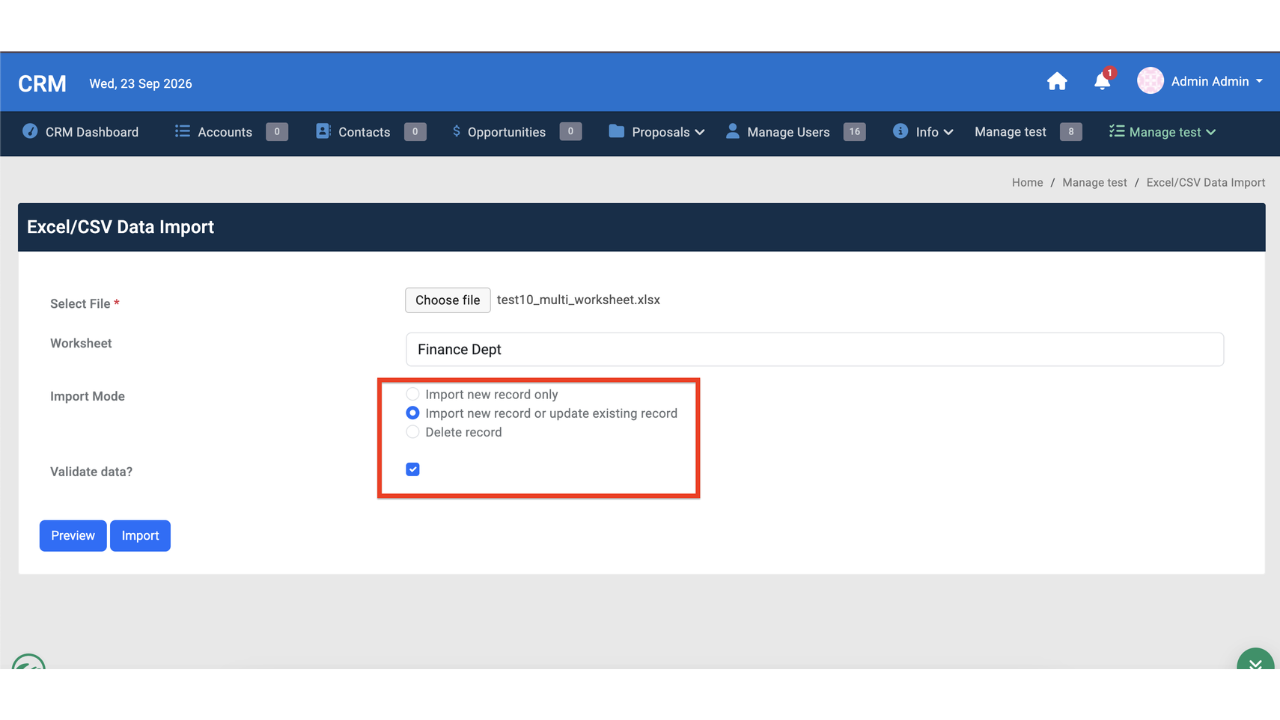
Batch CSV/Excel Data Import
Plugin · Userview Menu
Plugin Overview Batch CSV/Excel Data Import is a Joget Userview Menu plugin that lets end users upload a .csv, .xls, or .xlsx file and import its rows into a configured Joget form's table. It is built for large files. The import runs as a background job, so the user can keep working while it runs. Rows are written straight to the database in batches (1,000 rows by default), and each job's progress and result are recorded so users can check them later. For more information regarding this plugin, please refer to the knowledge base here. Versioning 9.1.0 | Date Released: 9 October 2026
ChartJs Userview Menu Plugin
Plugin · Userview Menu
Plugin Overview The ChartJs Menu plugin is a new easy-to-use charting userview menu plugin for Joget DX, and can be considered as an alternative to the default bundled Chart Menu. Select any list in your app to display its records in several available graph types. The additional benefits of using this plugin are the ability to reuse the datasource configuration & list filters in the selected list. To setup and configure this plugin, please see the documentation. There is also a demo app available in the documentation as well. Versioning 8.0.1 | Date Released: 12 July 2024 8.0.2 | Date Released: 12 June 2025 8.0.3 | Date Released: 2 September 2026 - Updated Export-Package and Private-Package to follow new config convention.
Scheduler Plugin
Plugin · Userview Menu
Scheduler Plugin is a new userview menu for Joget Enterprise and Professional to schedule jobs to run at a specific date and time. You can use this plugin to trigger any process tools (except the Form Data Update Tool, which runs only in a process flow). For example, you can program the Scheduler Plugin to call a JSON POST API plugin to execute a process start at 8:00 am every day in September. Your process could be designed to update some database tables and send out an email notification. The Scheduler Plugin uses the Java Cron Expression to determine the trigger time. A Cron Expression is a string consisting of six or seven subexpressions (fields) that describe individual details of the schedule. These fields, separated by white space, can contain any of the allowed values with various combinations of the allowed characters for that field. Only future dates are allowed in the cron expression field. This plugin source code is available in a new open source repository at https://github.com/jogetoss/. JogetOSS is a community-led team for open source software related to the Joget no-code/low-code application platform. Projects under JogetOSS are community-driven and community-supported, and you are welcome to contribute to the projects. Be advised the Scheduler plugin requires Joget DX version 7.0.7 or higher. The latest plugin version is scheduler-8.0.3.jar. Note Download and import the JSON POST API plugin to see this option in the Plugin options pulldown menu. If you write your custom process tools plugins, it will also appear in the Scheduler menu pulldown menu. JSON POST API calls need to pass the authentication values as documented here. REQUIREMENT This plugin was designed for Joget Enterprise and Professional v6 and DX only. Get the Scheduler Plugin for v5. This plugin is not compatible with Joget Cloud and was designed to work only in Joget On-Premise. WHAT'S NEW 15-Mac-2018 Updated fix for MSSQL & Oracle databases. 14-Apr-2018 Updated fix for CRON validation on edit. 12-Jun-2018 Updated XML file in the plugin for situations where internet access is blocked or not existing. 03-Aug-2018 Updated fix for show log pagination. 29-Aug-2018 Updated fix for PostgreSQL database compatibility. 23-Apr-2019 Updated fix for a wrong display of "This feature is not supported in your installation" message. 07-Jan-2021 Updated with fix for latest security vulnerabilities. 15-Jul-2024 Updated to make datalist sortable, format json, update to 8.0 core. 13-Dec-2024 Updated dependencies based on vul report. 17-Dec-2025 Enhance scheduler form fields security with input sanitization 27-July-2026 Added Scheduler job enable/disable controls and scheduler web service APIs Steps To Import This Plugin Click "Download" on this plugin screen (It will be a .jar file). Go to your Joget localhost or server, in Joget Console navigate to "Admin Bar>Systems Settings>Manage Plugins" and click "Upload Plugins" button. In the "Upload Plugin" screen, select the plugin .jar file you just downloaded, then click "Upload". Open a new userview builder screen and you will see a new menu option named 'Scheduler Menu'. Remember to always uninstall the old plugin before uploading a new version. The Joget Knowledge Base has more information on managing and developing plugins.
User Profile MFA Menu Plugin
Plugin · Userview Menu
This userview element plugin allows LDAP users to activate/deactivate their MFA. The plugin source code is available in an open source repository at https://github.com/jogetoss/user-profile-mfa-menu. JogetOSS is community-led for open source software related to the Joget no-code/low-code application platform. Projects under JogetOSS are community-driven and community-supported, and you are welcome to contribute to the projects. What's New 08-Dec-2025 Fixed "user profile" height problem in certain themes.

 Plugin
 Free
 By Joget, Inc.
 3 downloads